Loop Atmosphere Overlays — 24 seamless transparent loops, Ren'Py ready
A downloadable asset pack
Rain against the window, fog in the graveyard, embers over the campfire - drawn once, as full-screen transparent loops that you put on top of your scene and forget about.
What it is
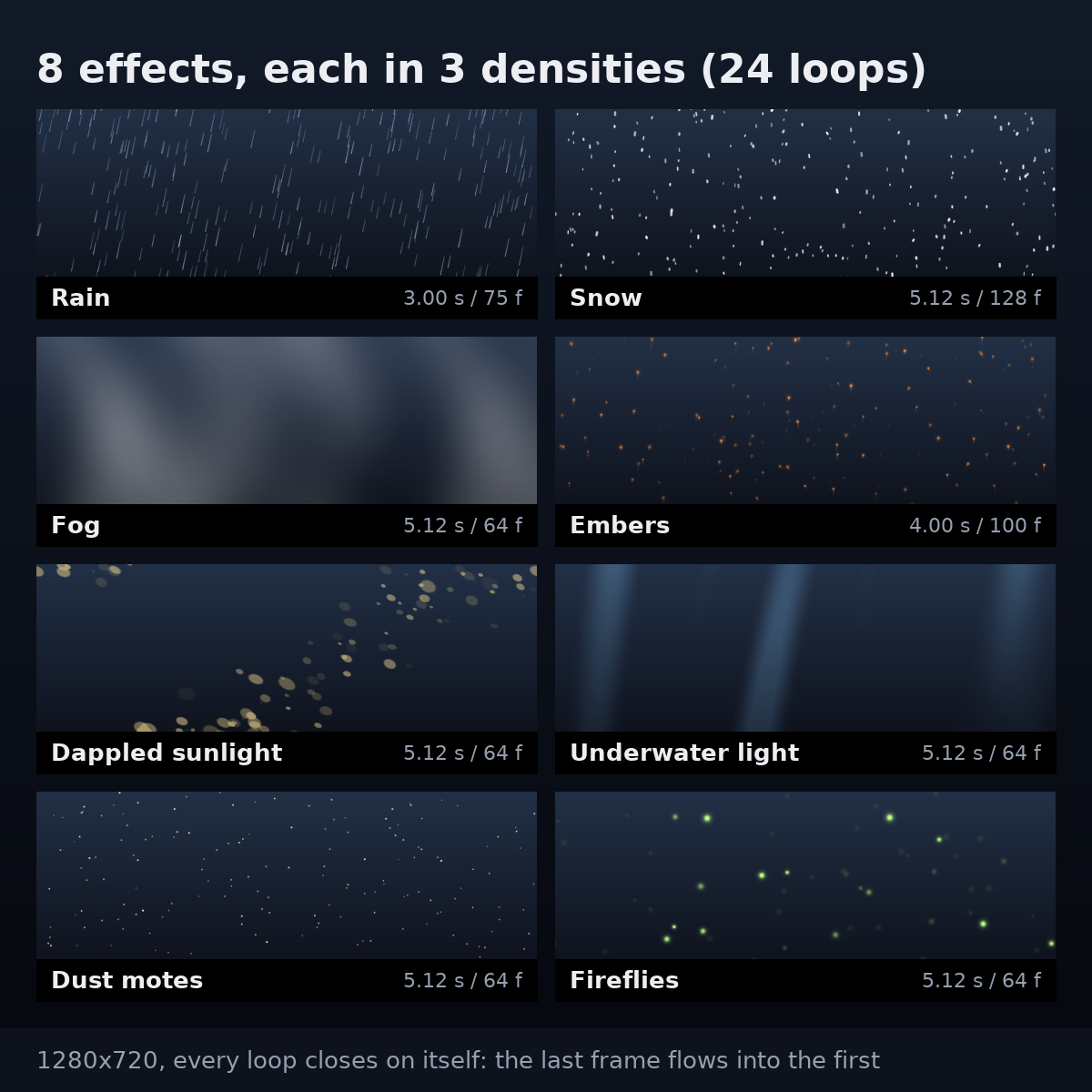
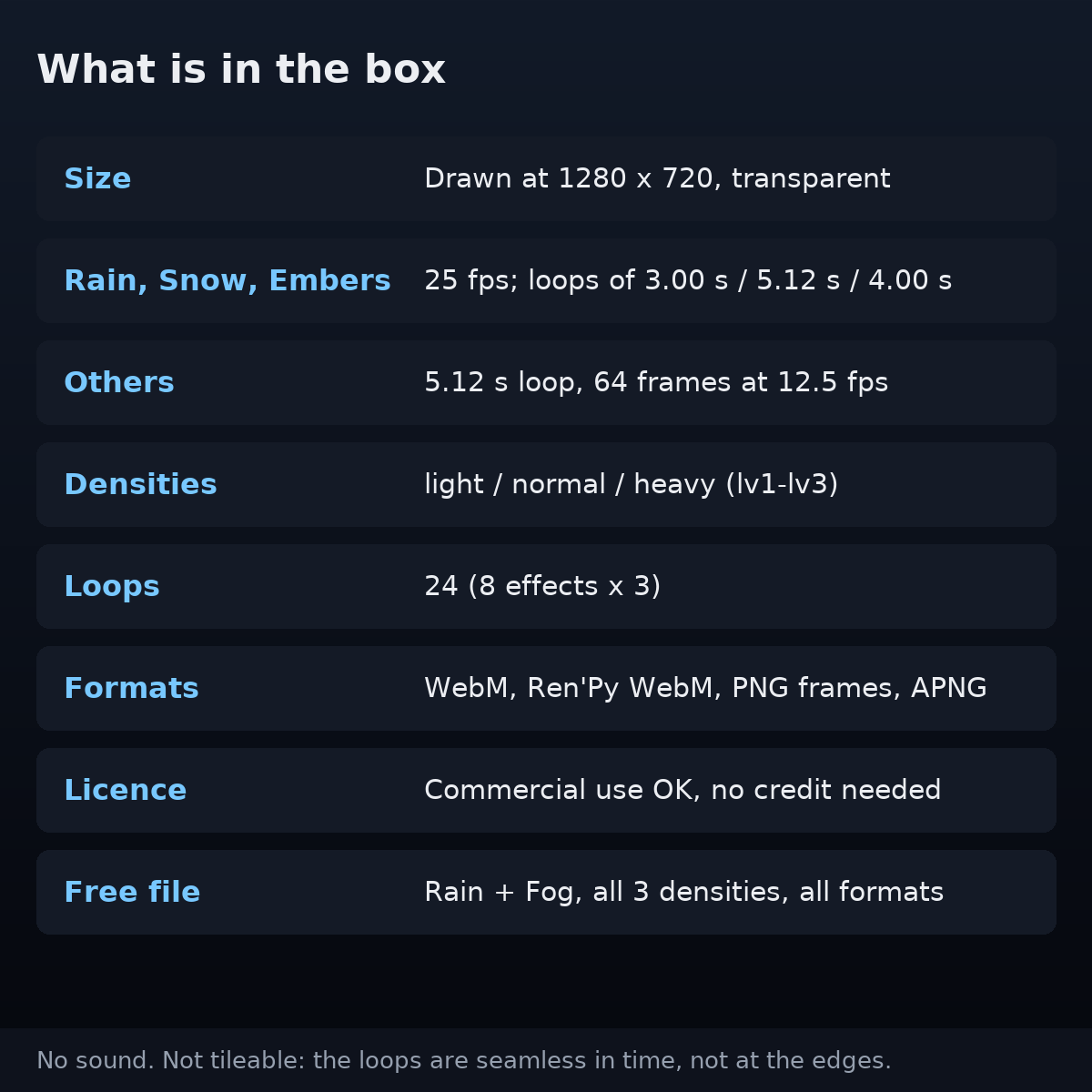
Eight full-screen atmosphere effects with no visible seam: rain, snow, fog, embers, dappled sunlight, underwater light, dust motes and fireflies. Each comes in three densities - light, normal, heavy - so there are 24 loops, all drawn at 1280 x 720 with a transparent background.
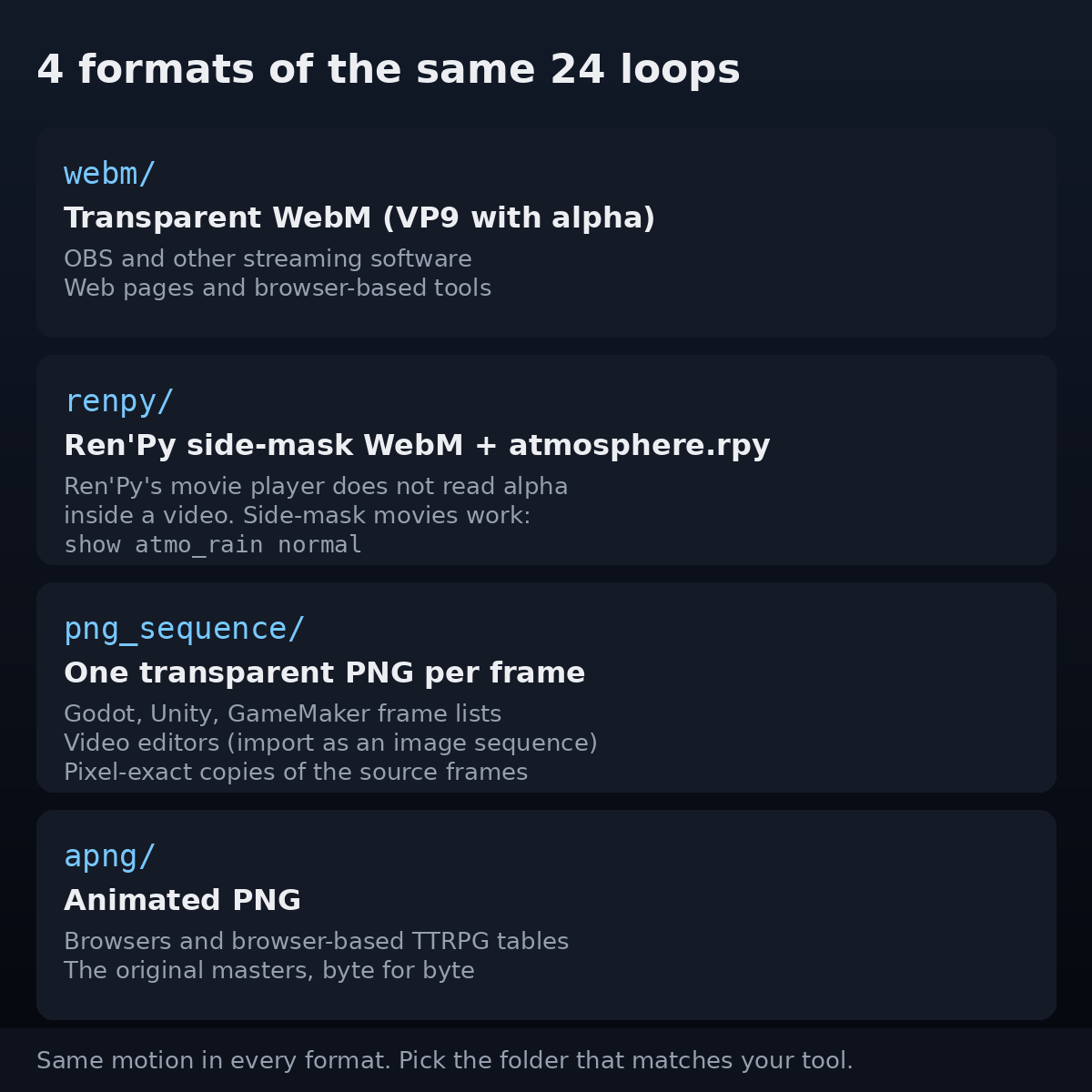
Every loop comes in four formats, so it drops into the tool you already use:
- Ren'Py - side-mask movies plus a ready-to-paste
atmosphere.rpy. Ren'Py's documentation says its movie player does not support alpha inside a video; side-mask movies are the format it does support. The definitions stretch each loop to your project's screen size (1280 x 720 and 1920 x 1080 both checked; on a screen that is not 16:9 the proportions change), so it is justshow atmo_rain normal. - Transparent WebM (VP9 with alpha) - for OBS and other streaming software and for web pages.
- PNG frames - one transparent PNG per frame, for Godot, Unity, GameMaker, any frame list, and video editors.
- APNG - the original masters, for browsers and browser-based TTRPG tables.
When you would use it
- A rainy night, a snowed-in inn or a foggy graveyard in your visual novel, without drawing a single raindrop
- Streaming: embers drifting over a campfire scene, dust in a library, fireflies over a waiting screen
- TTRPG sessions on a shared screen, where the weather should change when the story does
- Video: rain or underwater light over footage, an intro, a music video
What it does
- No visible seam. The loops are computed so the last frame flows into the first. For every file and every format, the jump at the loop point is no larger than the largest change between two frames inside the loop.
- Three densities. Swap
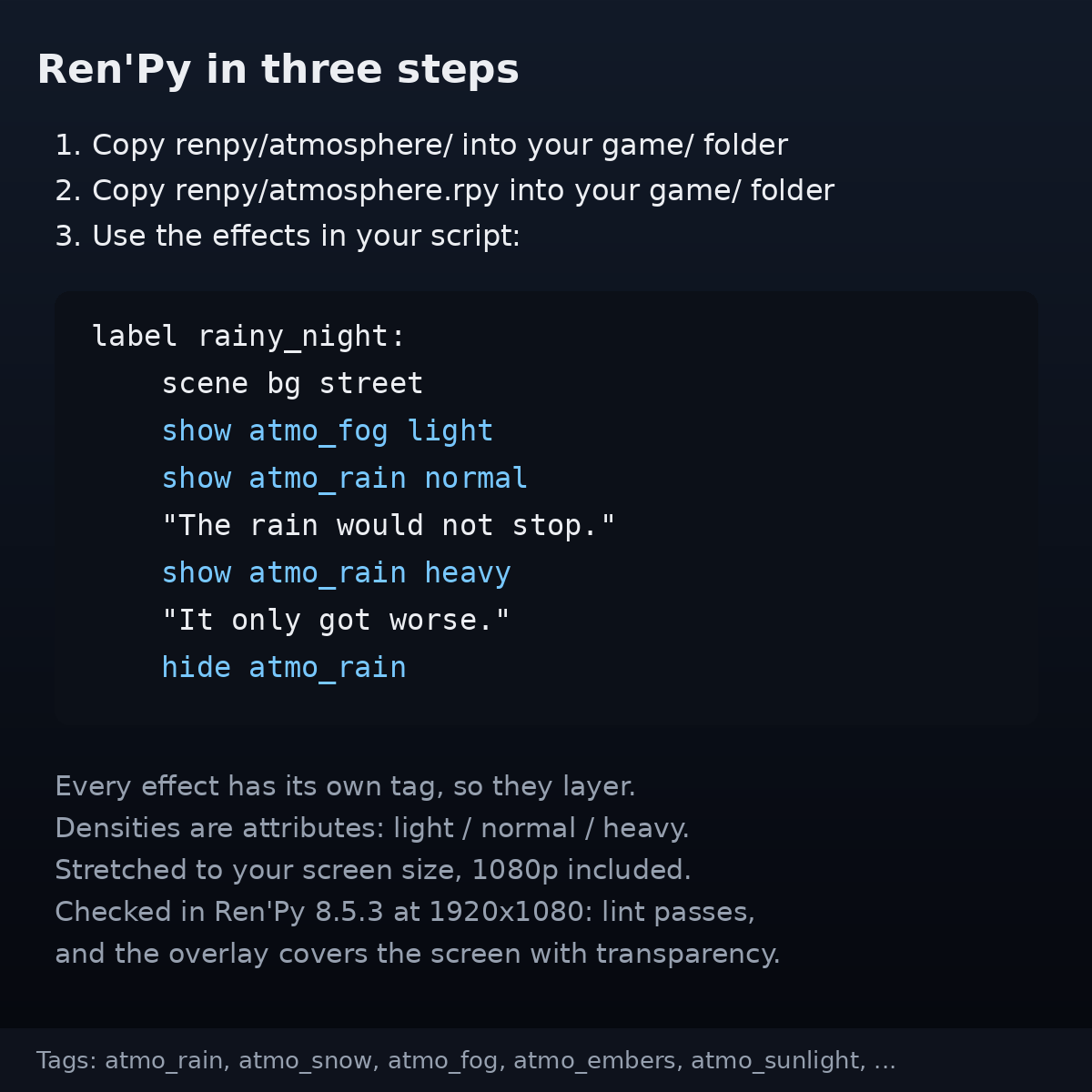
light/normal/heavyinstead of fiddling with opacity. For the particle effects, each heavier level contains every particle of the lighter one, in the same place; fog, sunlight and underwater light are the same shape at three strengths. - Ren'Py in three steps. Copy one folder and one file into
game/, thenshow atmo_fog light. Each effect has its own tag, so they layer. Checked in Ren'Py 8.5.3 in a 1920 x 1080 project: lint passes, and the overlay covers the whole screen with its transparency. - One colour per file. Each loop is a single colour plus transparency, so tint and blend modes behave predictably.
- Commercial use, no credit needed. Ship it in a paid game, earn from a stream. Just do not redistribute the files (
LICENSE.txthas worked examples).
- Rain — Loop: 3.00 s · Frames: 75 at 25 fps
- Snow — Loop: 5.12 s · Frames: 128 at 25 fps
- Embers — Loop: 4.00 s · Frames: 100 at 25 fps
- Fog, Dappled sunlight, Underwater light, Dust motes, Fireflies — Loop: 5.12 s · Frames: 64 at 12.5 fps
What it does not do
- No sound. Picture only.
- One resolution: 1280 x 720. There is no 1080p or 4K master. Scaled up to 1920 x 1080 (the Ren'Py snippet does this for you), thin rain streaks get a little softer.
- Not tileable. Seamless in time, not at the edges.
- Not pixel art. These are soft, full-screen effects at 1280 x 720. For a 320 x 180 pixel-art game you will want pixel-art weather instead.
- No sprite sheets. Frames come as separate PNGs; build an atlas in your engine if you need one.
- The plain WebM is not for Ren'Py. Ren'Py's movie player does not support alpha inside a video. Use the
renpy/folder. - No new effects are planned. Version 2 (2026-10-07) fixed defects found after release - the rain now falls along its streaks, fast particles no longer jump, the whole fog now drifts to the right instead of changing shape in place, the underwater light no longer pulses as a whole, smooth effects have no contour bands. The README lists every change.
How to use it
- Download the free sample first (rain and fog, all densities, all formats) and try it in your tool.
- Open the folder for your tool:
renpy/,webm/,png_sequence/orapng/(the README has a table). - Put the loop above your scene - as a Ren'Py
show, an OBS Media Source, a frame sequence in your video editor, or a frame list in your engine. - Choose the density:
lv1light,lv2normal,lv3heavy.
Easy things to get wrong
- 24 loops = 8 effects x 3 densities, not 24 different effects.
- Pale effects on a bright scene. Every effect is a single light colour, made for dusk, night and indoor scenes. On a bright background, underwater light shows the most, then dappled sunlight (measured; the README has the numbers). Rain, snow, fog and dust almost disappear - lower their brightness to turn them into dark grey rain and haze.
- Video editors: start with the PNG frames. Many editors do not read VP9 transparency and show a black background. If you convert the WebM with ffmpeg, decode it with
-c:v libvpx-vp9, or the transparency is dropped. - Frame rates. Rain, snow and embers run at 25 fps and draw the path each particle travels in one frame. The five slow effects run at 12.5 fps; on a 60 fps stream each of their frames is held for about five display frames. Check the free sample on your setup.
- APNG is not GIF. Many image viewers show only the first frame. Browsers play it.
What you need
- Ren'Py: checked in 8.5.3. Side-mask movies are described in the Ren'Py documentation.
- OBS Studio: according to the OBS Studio 17.0.1 release notes, a Media Source reads transparent WebM from that version on. We have not tested OBS ourselves - try the free sample.
- Everything else: anything that opens PNG, APNG or WebM (VP9). Try the free sample first: if it plays in your tool, the full pack does too.
Made by ASTERISM. 1280 x 720. 24 loops, about 127 MB unzipped (the free sample is about 45 MB).
Download
Click download now to get access to the following files: