Screen Props — fake computer screens, saved as PNG
A downloadable tool
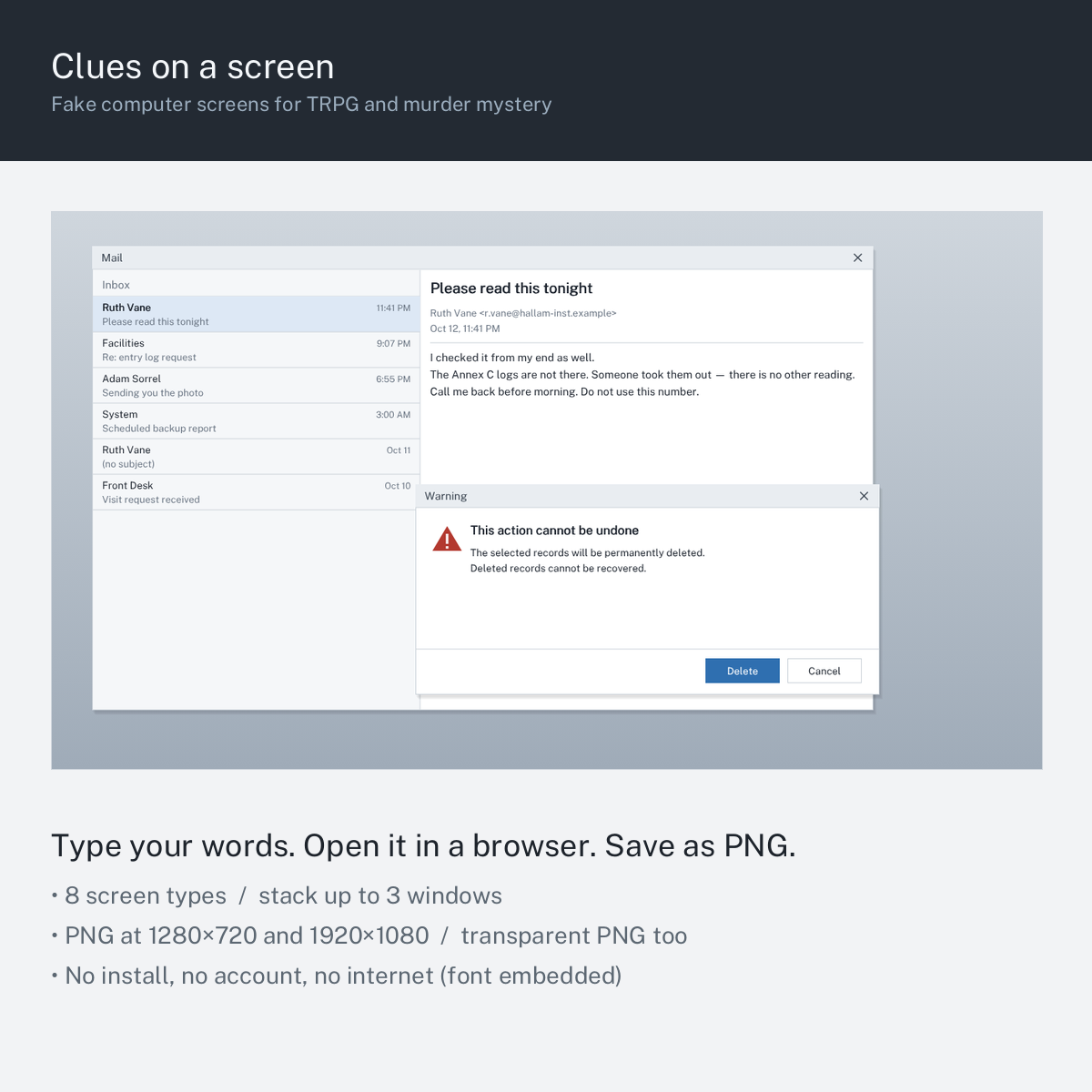
Screen images you can buy are fine to look at. The problem is that the words on them are somebody else's. This tool lets you put your words on the screen instead.
What it is
A single HTML file that makes fake computer screens and saves them as PNG.
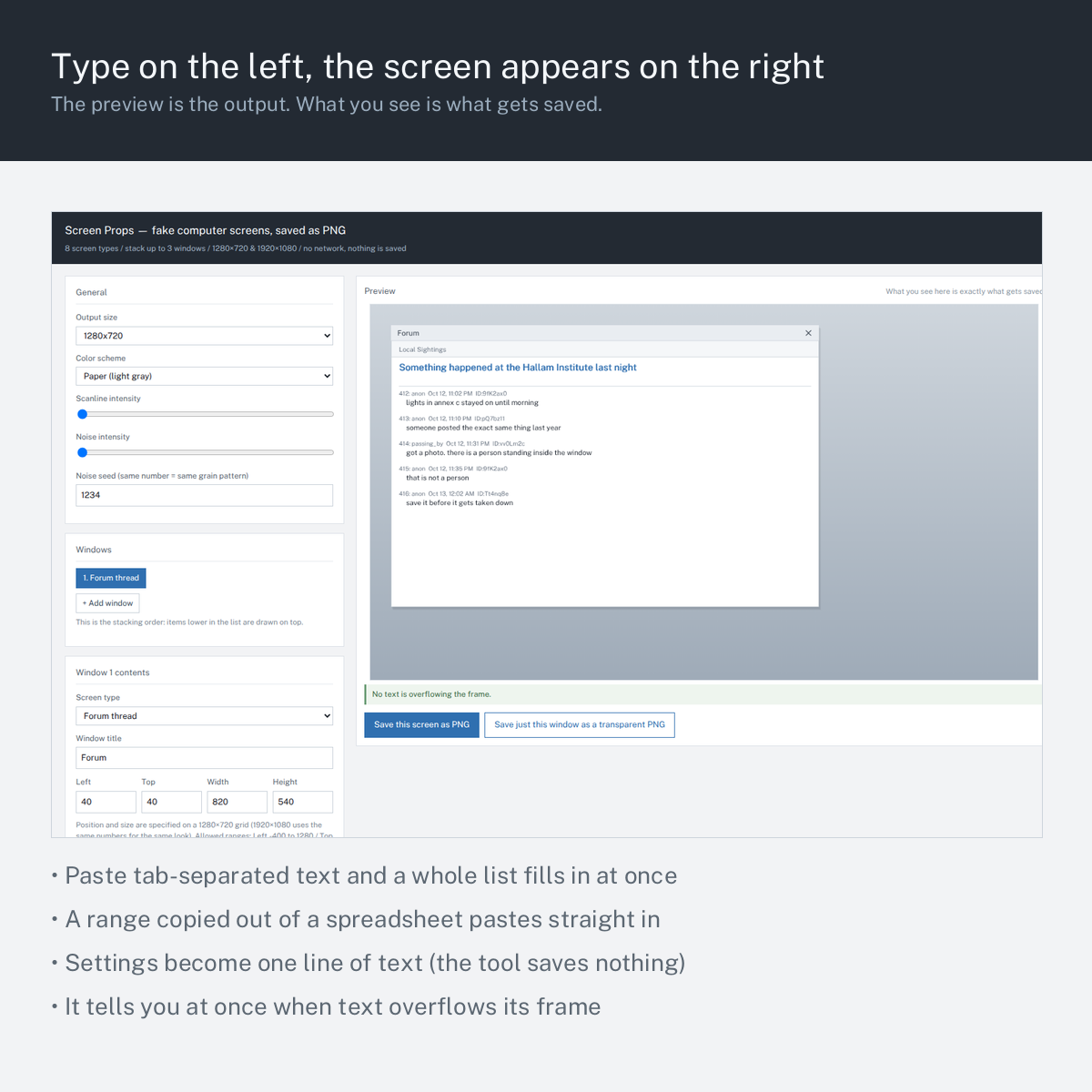
Type into the boxes on the left; the screen redraws on the right. When it looks right, press save. No install, no account, no internet connection.
The download is one HTML file. Double-click it and it opens in your browser. You never need an image editor.
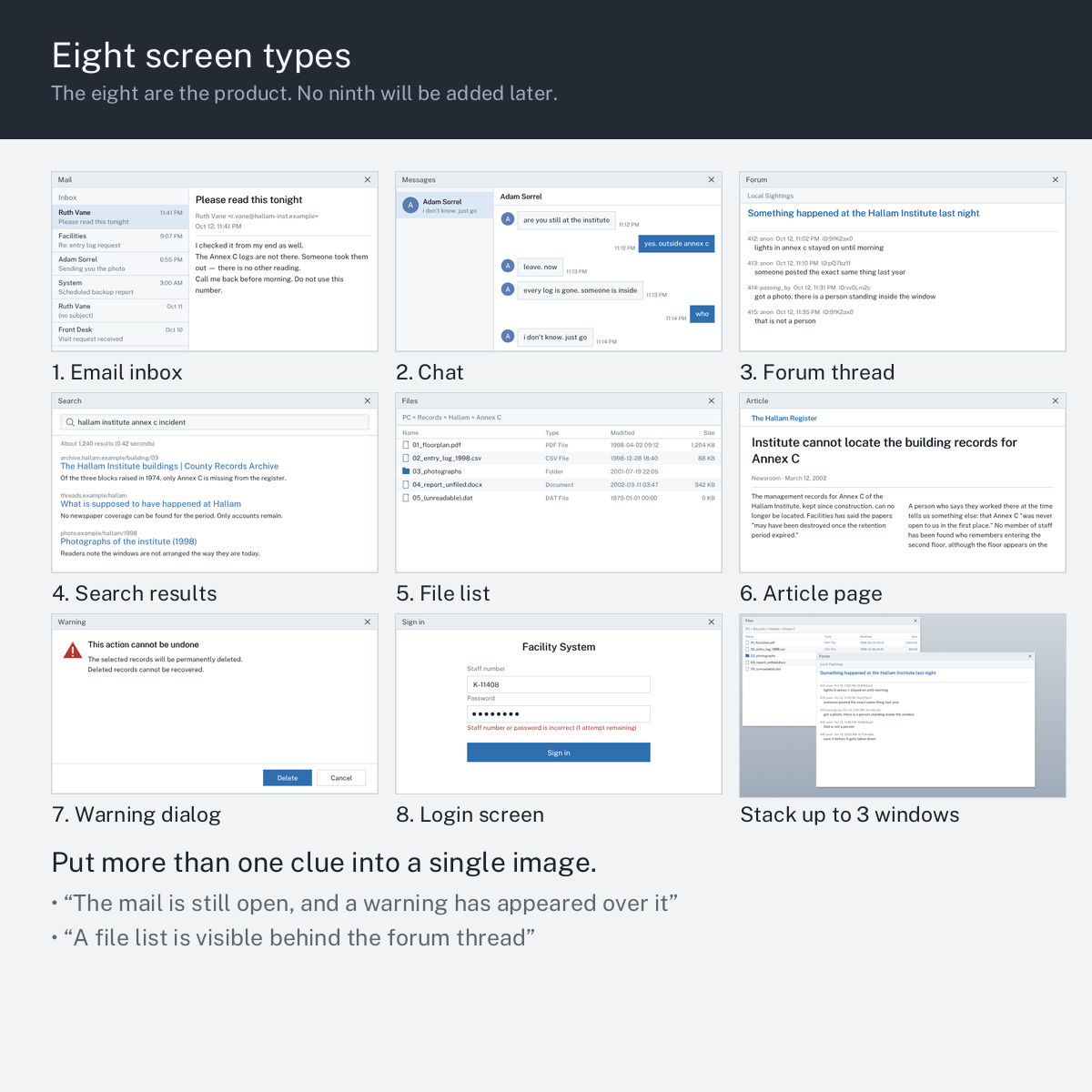
Eight screen types:
- Email inbox — message list on the left, the open message on the right
- Chat — contact list on the left, a thread of bubbles on the right
- Forum thread — post number, name, timestamp, poster ID, body
- Search results — query, result count, a list of hits
- File list — name, type, date modified, size
- Article page — headline, dateline, body flowed into two columns
- Warning dialog — a small window that sits on top of the others
- Login screen — two fields and a red failure line
Number 8 is a sign-in form. There is no black terminal with a command prompt. If you are looking for a hacking screen, this is not it.
You can stack up to three windows. "The mail is still open, and a warning has appeared over it." "A file list is visible behind the forum thread." That is how you put more than one clue into a single image.
When you would use it
- A modern-day scenario where the investigators search someone's computer
- A murder mystery where you need to show what was left on a suspect's device
- When the wording of an email is the clue
- When you want the shape of a forum thread, not just the text of one post
- When you want to show the moment someone was about to delete a record
What it does
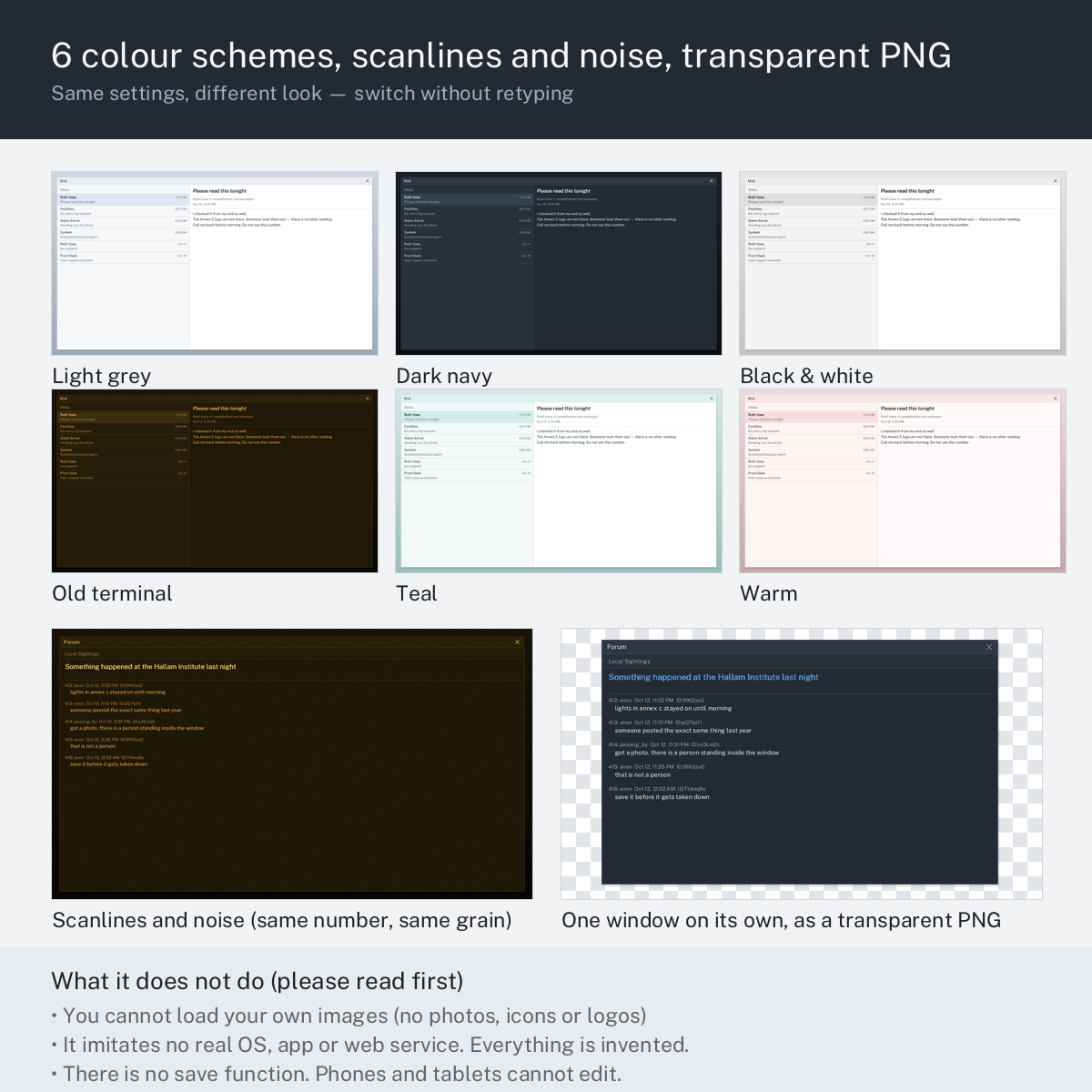
- 8 screen types, 6 colour schemes, 2 output sizes (1280×720 and 1920×1080)
- Up to 3 stacked windows, with the stacking order under your control
- Save the whole screen as PNG, or save one window as a transparent PNG
- Every field is text you type. Rows are tab-separated, so you can copy a range of columns out of a spreadsheet and paste it straight in
- The preview is the output. What you see is exactly what gets written to the file
- The tool warns you when text overflows its frame, before you save, and names what was left out
- It asks before it throws your text away. Changing the screen type or pressing Reset refills every field with example text, so both stop and ask first
- Settings become one line of text. Copy it, keep it in your notes, paste it back later to get the same screen again
- The font is embedded. The image looks the same on any machine, because the tool does not borrow a font from your system
- Nothing is uploaded. The file works with your network cable unplugged
What it does not do
Written here because otherwise you will assume it is possible.
- You cannot load your own images. No avatars, no photographs, no logos. Faces in the contact list are drawn as a coloured circle with an initial
- There is no save function. Close the tab and the fields are gone. Keep the settings line if you want to come back to a screen
- There is no terminal / console screen (see above)
- It does not imitate any real operating system or app. The look is invented. If you need something that passes as a specific product, this is the wrong tool
- No animation, no video. Still PNG only
- It will not gain new screen types. The eight are the product. Please do not buy it hoping the ninth arrives later — it will not
How to use it
- Download the HTML file and double-click it
- Choose the output size and colour scheme at the top left
- Pick a screen type for Window 1, then fill in the fields below it
- Add a second or third window if you want them stacked
- Check the line under the preview — green means everything fits, orange means something was left out and says what
- Press Save this screen as PNG, or Save just this window as a transparent PNG
Easy things to get wrong
- Rows are separated by tabs, not commas. Pasting comma-separated text puts the whole line into the first column. The tool spots a comma-separated row and says so
- In the file list, the folder icon is decided by the word in the Type column. Type
Folderand you get a folder; type anything else and you get a document icon. It is a plain text match, sofolderin lower case will not do it - Windows are drawn in list order, front to back. If a window is hidden, move it with the Move front / Move back buttons rather than changing its position
- Long text is clipped, not shrunk. The overflow line tells you before you save; shorten the text or make the window taller
- The settings line is not a file. It is text. Paste it somewhere you will find it again — this tool cannot remember it for you
What you need
- A desktop browser that can save files. Verified in Chromium. Firefox, Edge and Safari use the same standard features
- Not built for phones or tablets. The layout expects a wide window, and saving a file works differently on mobile
- No internet connection is needed, and none is used
- No install, no account, no plugin. One HTML file
- A free edition is on this page — 2 screen types, 1 window, 1280×720 only, 2 colour schemes, no scanlines or noise, up to 4 list rows. If you want to know whether this works on your machine, download that first
Download
Click download now to get access to the following files:
Leave a comment
Log in with itch.io to leave a comment.